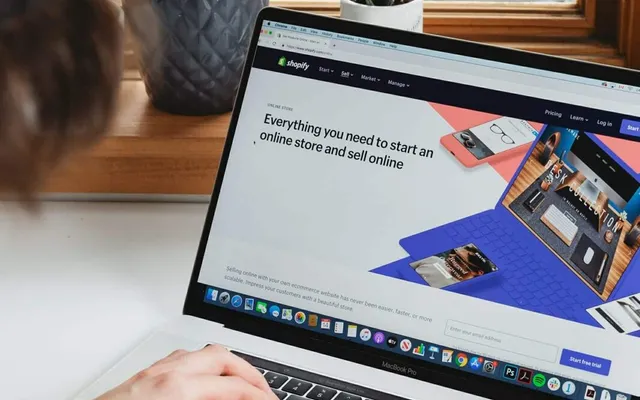

“I want to start an online store, but I have no idea where to begin.” Plenty of people feel this way, because there seems to be so much to think about, from servers and payment systems to design.
One option that solves these challenges is Shopify. Shopify is a platform that bundles the features needed to open and run an online store, letting you launch one without specialized knowledge.
In this article, we explain Shopify from the basics, covering the general flow for opening a store, customization through design and apps, and the factors that shape your costs, in a way that is easy for beginners to follow.
 An example homepage of an online store built with Shopify. Add a beginner-friendly storefront screen that conveys the product lineup and the brand’s world.
What Is Shopify, and Who Is It For?
Shopify is a cloud-based e-commerce platform for opening and running an online store. Product management, order management, payments, shipping settings, design, and the other features needed for online selling are all in the admin dashboard, so you do not have to prepare or maintain servers yourself.
In the past, building a full e-commerce site meant a lot of preparation, such as contracting for servers and developing the system. Because Shopify provides this infrastructure as standard, operators can focus more easily on the essentials, like their products and building their brand.
Who It Is Well Suited For
Shopify can meet a wide range of needs, including:
- Individuals who want to start an online store
- Small and midsize businesses with a physical store that want to try online selling
- Companies already running an e-commerce site that want to reduce operational burden or increase extensibility
- Sellers considering markets that include customers overseas
It is easy to start with, yet flexible enough to extend features and design when needed, which also makes it a good fit when you want to start small and grow in stages.
The Main Benefits of Shopify
Here are the representative benefits that explain why so many businesses choose Shopify.
An infographic lining up the four benefits, “easy to start,” “no server management,” “built-in payments and shipping,” and “extensibility,” each with an icon. Organize each benefit under a short heading so the overall picture is clear at a glance.
Easy to Start Without Specialized Knowledge
You can register products and configure design intuitively from the admin dashboard, so you can launch a store without programming knowledge. A low barrier to that first step is a major appeal.
Hosting and Security Are Handled for You
Because Shopify is a cloud-based service, you do not have to take on server setup, maintenance, or system updates yourself. With stable operation as a given, it is easier to concentrate on running the business.
Payment and Shipping Systems Are Built In
The payment and shipping settings essential to online selling are provided as standard. It is straightforward to support multiple payment methods and build a store that is easy for buyers to use.
Flexible Extension Through Apps and Themes
With “themes” that handle design and “apps” that add features, you can extend the store to match how you run your business. You can start simple and add the features you need later, as the need arises.
The General Flow for Opening a Store on Shopify
Here are the general steps for getting a Shopify store live. Much of the actual work can be done from the admin dashboard.
A flow diagram showing the six steps from signing up to going live. Add an illustration that makes the order of each step clear at a glance.
1. Create an Account
First, sign up for Shopify and set up your store’s basic information. You enter the starting details, such as your store name and the kind of products you will sell.
2. Add Your Products
Register the products you will sell. Set the product name, description, price, photos, and stock quantity, and arrange the information so buyers can see the appeal. The quality of product photos and descriptions has a large influence on purchase decisions.
3. Set Up a Design Theme
Choose a theme that defines the look of your store, then adjust the logo, colors, and layout. A design that conveys your brand’s world helps build trust and the desire to buy.
4. Configure Payments and Shipping
Set up payment and shipping methods. Decide which payment options you support and your shipping conditions, and arrange things so the flow from purchase to dispatch runs smoothly.
5. Connect a Custom Domain
Connecting a custom domain that fits your brand raises your store’s credibility and how easily it is recognized. You can also use a domain you already own.
6. Test and Go Live
Before launch, check that product pages display correctly, the purchase flow works, and payments process properly. Once everything is in order, publish the store and begin operating.
How to Think About Design, Apps, and Customization
A key strength of Shopify is that you can combine “themes” and “apps” to flexibly build a store that fits your business.
A screenshot of the theme customization screen in the admin dashboard. Add an image that shows how colors and layout can be adjusted.
Shape the Design with Themes
A theme is the foundation of your store’s overall design. By choosing a theme that matches your products and brand atmosphere and adjusting the colors, fonts, and layout, you can achieve a cohesive look. If you want to go further, you can edit the theme code to add original expression.
Add Features with Apps
By adding apps, you can bolt on functionality such as reviews, email delivery, inventory and logistics integration, and marketing support. Rather than cramming in many features from the start, it is better to identify the features you need as you operate and add them gradually.
Decide How Far to Build It Out
Because there is so much freedom to customize, it is important to clarify up front “how far to build it out.” Whether the standard features and a theme are enough, or you need original design and functionality, changes the effort and cost involved. Match your scope to your brand direction and operating setup, and find a level that does not overreach.
Lxgic supports building online stores with Shopify, including design and functionality tailored to your brand. For details, see our Shopify online store development service.
The Factors That Shape Shopify Costs
The cost of Shopify is not uniform; it is decided by a combination of factors. Here are the main factors to keep in mind when thinking about cost. Because the specific amounts vary with your conditions, it is important to consider them against your own situation.
A diagram showing how the four factors, “your plan,” “payment fees,” “themes and apps,” and “how much design and development you outsource,” combine to form your cost. Use a pie chart or stacked bar so the share each factor takes of total cost is clear.
Your Plan
Shopify offers several plans with different features and conditions. You choose a plan based on the scale of your business and the features you need, and this forms the base of your costs.
Payment Fees
Online payments incur payment fees. How fees are handled changes depending on the payment methods and conditions you use, so you should account for them as a cost relative to your sales.
Themes and Apps
You can run a store with only free themes and apps, but if you use paid themes or features, those costs are added on. Identifying the features you need and keeping the setup free of excess helps optimize cost.
How Much Design and Development You Outsource
Cost also changes significantly depending on whether you handle setup yourself or commission a professional agency. The more you commission custom design or the development of special features, the more cost that requires. Clarifying what you will do in-house and what you will entrust to outside help makes budgeting easier.
Conclusion: Start Small and Grow
Shopify is a widely adopted platform that lets you open and run an online store without specialized knowledge. Because hosting, payments, and shipping are built in as standard, operators can focus on their products and their brand.
The launch flow proceeds step by step, from creating an account to adding products, setting up design, configuring payments and shipping, and going live, and themes and apps let you flexibly extend the store to fit your business. Because cost is decided by several factors, including your plan, payment fees, themes and apps, and your outsourcing scope, considering them against your own situation is essential.
Start small, then keep improving as you operate. That accumulation is what leads to sustainable e-commerce operation and the growth of your brand.